Update Your Own PIN in Primecall
While logged into the Primecall web portal , Basic Users can adjust their voicemail PIN with ease. To do so…
- Click your user's name and use the drop-down to select Profile.

✔ Doing this will pull up your account's Profile menu.
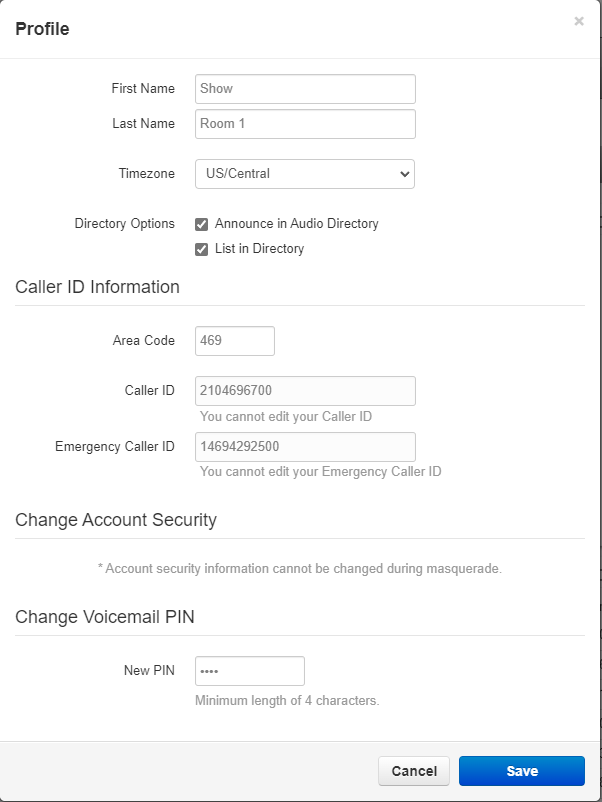
- In the Change Voicemail PIN section, type a new 4-digit PIN in the New PIN box.
- Click Save.
✔ Now you should be able to call your voicemail and use your new PIN.