Rebooting a Polycom VVX Phone via the Dialpad
Reboot
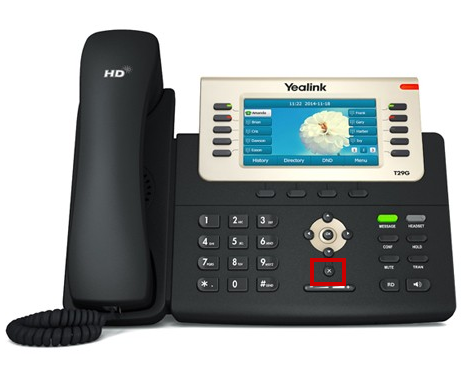
Press and hold the "x" button underneath the Arrow Cluster highlighted by the red box below:
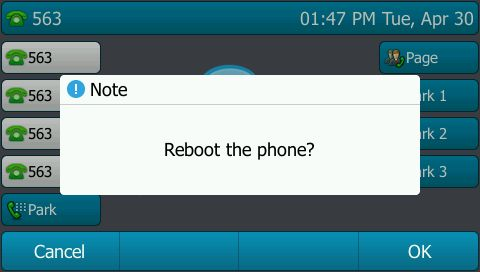
A prompt will appear on the phone asking if you would like to reboot. Press the "ok" button to confirm.
Factory Reset
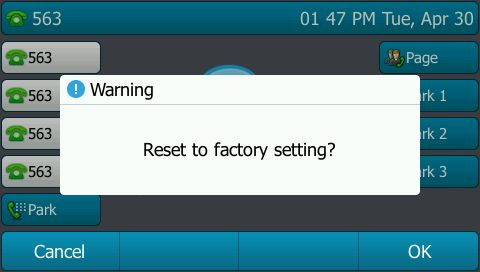
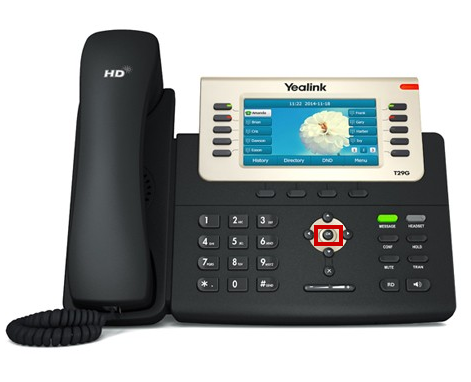
Press and hold the "ok" button in the center of the Arrow Cluster highlighted by the red box below:
A prompt will appear on the phone asking if you would like to reset to factory settings. Press the "ok" button to confirm.